Documentation describes what a tool is supposed to do. Source code describes what it actually does. When the two diverge, your production system finds out the hard way. This is how to use Claude to read the source directly and surface the gap before you commit to building anything on top of it.
Why documentation fails when it matters most
Open source documentation has a structural problem. The people who write it are writing about intended behavior, not observed behavior across every environment and configuration. The happy path gets documented. The edge cases don't. Features that are "partially implemented" or "coming soon" get described as if they're complete. Database-specific SQL gets written for Postgres and left for the reader to infer on Oracle, MySQL, or whatever they're actually running.
This is not a criticism of open source maintainers. Documentation is written at a point in time, by people close to the code who assume more context than a new user has. It doesn't update itself when the codebase evolves. Community-contributed docs are even less reliable: they reflect one person's experience with one version in one environment, often written months or years ago.
The consequence is predictable. You read the docs, form a plan, start the implementation, and three weeks in you discover the feature doesn't behave as described. Or the documented table schema applies to a different database than yours. Or the "supported" upsert mode has a bug the test suite doesn't catch. None of this appears in the documentation. It appears in production.
The problem isn't that documentation lies. It's that documentation can't tell you what it doesn't know. The source code can.
Code analysis is not code generation
When experienced developers think about using Claude with a codebase, they usually think of code generation: describe the feature, get the code, review it. That's the use case that gets the most attention. It's not the one that saves the most time.
Code analysis is different. You point Claude at an existing codebase and ask it to read, trace, explain, and compare. You're not asking it to produce anything. You're asking it to understand something and report back accurately. This distinction matters: the output is information, not implementation.
Most developers don't use Claude this way. The technique is underused, and the developers who have discovered it tend to apply it before committing to any significant engineering effort. They use it the way a senior engineer would use a code review, except the reviewer has just read the entire implementation in the time it takes to run a query.
This is code analysis, not code generation. The terminology matters because it shapes how you approach the work. You're not prompting Claude to build something. You're asking it to be an expert reader on your behalf.
The workflow
The process is straightforward. What separates a useful analysis from a generic one is the specificity of what you ask.
- Clone the repository you're evaluating
- Identify the specific feature or behavior you need to verify
- Load the relevant source files into Claude's context
- Ask targeted questions that compare documentation claims against the code
Steps one and two are quick. Steps three and four are where the quality of the analysis is determined.
Finding the right files
Large repositories can't be pasted into a context window in full. You need to identify which files are relevant to the feature you're evaluating. That's where experience helps: a developer who has worked with data connectors knows that offset storage usually lives in a specific type of file, that tests for a connector feature are typically in a parallel test directory, that configuration handling is usually separated from core logic.
If you're not sure where to start, ask Claude first. Give it the repository's file structure (the output of find . -name "*.java" | head -80 or the equivalent for your language) and ask: "I need to understand how [feature] is implemented. Which files should I look at?" Load the files it identifies, then start asking your specific questions.
For a JDBC sink connector, the relevant files might be the connector source, the writer implementation, and the relevant test class. For a database driver, it might be the driver file, the dialect implementation, and the integration tests. You don't need the whole repository. You need the right slice of it.
The questions that get results
The most valuable prompts follow the same pattern: give Claude the documentation claim, give it the source code, and ask it to compare the two. The gap between what's documented and what's implemented is where the risk lives.
Some questions that reliably surface useful information:
"The documentation says this connector supports upsert. Walk me through the code that implements this. What does the actual implementation do, and are there gaps between what the docs claim and what the code does?"
"This documentation was written for Postgres. I'm running Oracle. Walk me through the implementation and tell me where the behavior is database-specific: where it assumes Postgres SQL, Postgres types, or Postgres-specific behavior."
"Which tests cover [specific feature]? What exactly do they verify? What edge cases are not covered by the existing test suite?"
"What happens when [edge case]? Trace it through the code and tell me what the actual behavior is, not what the documentation implies."
The specificity of the question determines the usefulness of the answer. "Does this work?" produces a vague response. "The docs claim X - walk me through the code that implements X and tell me if the implementation matches the claim" produces a specific one. If you want to sharpen your prompting technique, Practical Prompt Engineering covers the principles behind why specific framing produces better results.
Ask one question at a time and follow each answer with a more specific question. Treat it like a code review conversation, not a search query.
What this looks like in production
When my team was evaluating the Debezium JDBC sink connector for a production data pipeline, we needed to understand how it handled offset and schema history storage. The mechanism that tracks which changes have been processed and what the data schema looks like at each point in time.
The official documentation was clear and detailed. It described the table structure, the column names, the default behavior. It looked solid.
We were running Oracle. The documentation was written for Postgres.
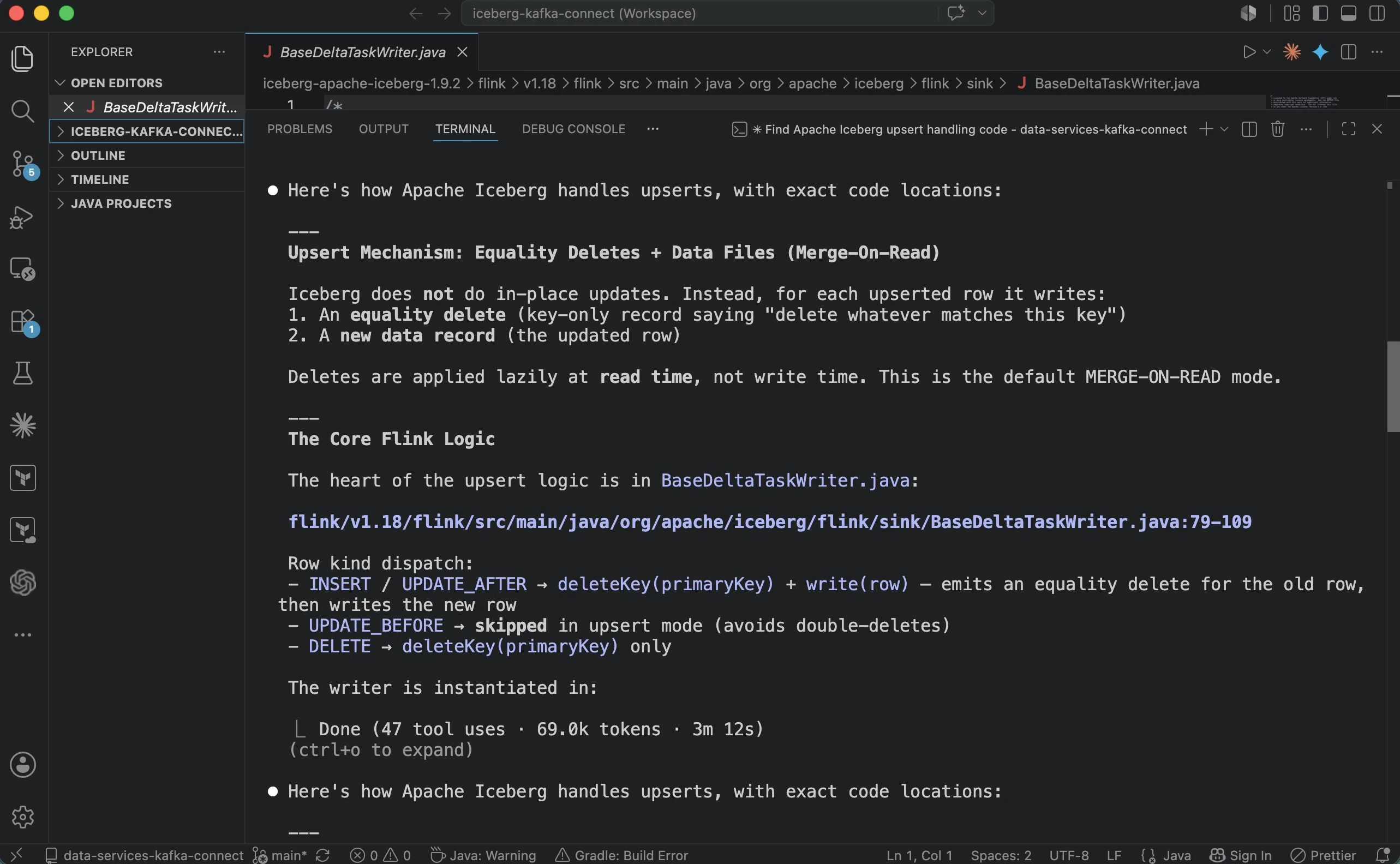
Before writing a line of implementation code, I cloned the repository, loaded the relevant source files, and asked Claude to compare the documentation against the actual implementation with a specific lens: "This documentation describes Postgres table creation for offset storage. We're on Oracle. Walk me through the actual code that handles offset and schema storage, and tell me where the implementation makes database-specific assumptions."
The analysis found gaps. The SQL for table creation used Postgres syntax that doesn't apply to Oracle. Parts of the offset handling code weren't accounting for Oracle-specific behavior. None of this appeared in the documentation, not because it was hidden, but because the documentation described the Postgres path and Oracle simply wasn't covered.
That analysis took about thirty minutes. It gave us a specific list of what the code actually did versus what the documentation described in our environment. We could build a targeted fix and know exactly what we were fixing, instead of discovering the same problems three weeks into an implementation and having to work backward from failures.
Experience supplied the skepticism: "let me verify this actually applies to our setup before we commit." Claude supplied the speed: here is what the code actually does, line by line.
Why experienced developers get more from this technique
The technique works better for experienced developers for a concrete reason: you know what to question.
A junior developer reads "upsert supported" in the documentation and moves on. An experienced developer reads the same thing and immediately asks: what happens with deletes? What happens if the same key appears twice in the same batch? What is the ordering guarantee? What does this mean for schema evolution?
Those questions come from years of watching systems fail in specific ways. They're not obvious from the documentation. They're the questions that an experienced engineer knows to ask before building anything that depends on a feature working in a precise way.
Claude can trace any of those questions through the source code in minutes. But someone has to ask the right question. That's what experience provides. The tool does the analysis. Your judgment defines what to analyze.
Experience tells you what to question. Claude tells you where the answer is.
This is the opposite of how most people think about AI tools and experience: that AI reduces the value of experience by doing the hard parts. Here, experience is what makes the AI useful. Without the right question, the analysis is generic. With it, the analysis is surgical.
When to use this technique
Not every tool evaluation warrants a full code analysis. Use it when the stakes are high enough to justify the time, which is usually less than you expect. A thorough analysis of a specific feature typically takes thirty minutes to two hours, depending on the complexity of the code and how many follow-up questions you have.
The clearest triggers:
Your environment differs from the tool's documented environment. If the documentation was written for Postgres and you're on Oracle, or for Linux and you're on a managed cloud service with specific constraints, or for an older version and you're running a newer one: the documented behavior is a starting point, not a guarantee. Verify against the code.
You're about to commit significant engineering effort. If a team is going to spend weeks on an implementation that depends on a tool working a specific way, spending a few hours verifying that the tool actually works that way is an obvious trade. The cost of the analysis is small compared to the cost of discovering a fundamental mismatch after the implementation is built.
A feature sounds too good to be true. "Automatic upsert support" in a connector tool that handles CDC data is worth verifying. Ask Claude to trace exactly how it's implemented, what edge cases it handles, and what the test coverage looks like. If it sounds like magic, find out what the code actually does.
The documentation is sparse or community-written. Official documentation from an active, well-resourced maintainer is more likely to be accurate than a community wiki page written by someone who used the tool once eighteen months ago. When the documentation's provenance is unclear, verify against the source.
What to do now
Pick one open source tool you're currently evaluating, already using, or planning to build on. Clone the repository. Identify one specific feature you depend on. Load the relevant source files into Claude and ask: "The documentation says [claim]. Walk me through the code that implements this. Does the implementation match what the documentation describes?"
You'll have an accurate picture in under an hour. That's a worthwhile trade before committing anything to a production system built on top of it.